How to Ask for Reviews in Person Without Feeling Awkward
Learn how to ask for reviews in person with low-pressure scripts, objection replies, and a simple review-link or QR hand-off that works for every customer.

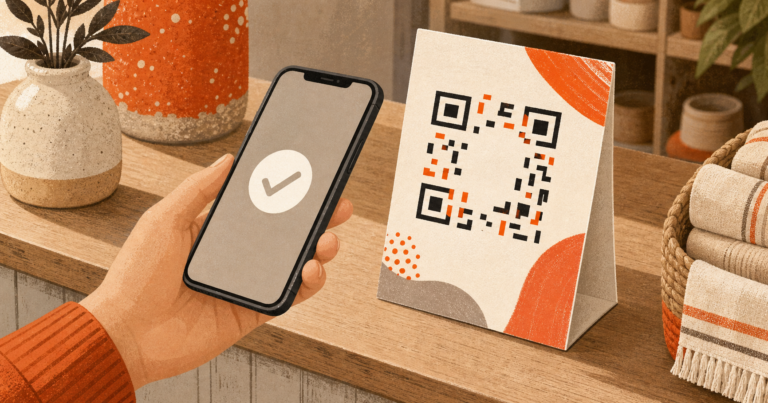
How to ask for reviews in person: make it a routine service step. Thank the customer, invite an honest Google review, hand over the same public link or QR code you offer everyone, then give them space. The customer decides whether, when, and what to write. Keep private feedback available as an extra path, never a detour.
Vanessa Bohns’ 2016 paper found that requesters underestimated compliance by 48% across field studies involving more than 14,000 strangers. BrightLocal’s 2026 survey found that 78% of respondents had been asked to review a local business, and 83% of those asked left one. The survey doesn’t isolate face-to-face requests.
Why does asking for a review in person feel awkward?
The sentence feels awkward when you treat it as a personal favor or wait for obvious praise. A fixed routine removes both problems. A routine settles that tension before the customer hears the request.
What the research says about the feared “no”
Bohns’ field studies show that requesters underestimate how often people agree. Declining a direct request can feel uncomfortable, so the lesson is restraint: ask once, welcome an honest review, and leave the choice with the customer.
Turn the ask into a neutral service step
Use one three-part routine at the natural end of every visit or job:
- Thank the customer for choosing your business.
- Invite an honest public review in neutral words.
- Hand over the same direct link or QR code you give everyone.
Apply it at the same service-based trigger for every customer. Praise, quietness, a complaint, a Net Promoter Score, or a guessed rating never decides who receives the public invitation. An honest review may be positive, mixed, negative, or not posted at all.
How to Ask for Reviews in Person: What Should You Say?
A script should keep you from freezing without making you sound rehearsed. Pick the line that fits the moment, use your normal speaking voice, and give every customer the same public hand-off. Keep your pace conversational. Make eye contact, ask once, pause for the answer, then return to service.
| Situation | Exact words | Hand-off |
|---|---|---|
| Checkout or point of sale | “Thanks for coming in today. We ask every customer for an honest Google review. If you’d like to share yours, you can scan this code.” | Keep the QR visible and finish checkout normally. |
| Job wrap-up or completed service | “Your service is finished. We’d appreciate an honest Google review about the work. Here’s the link if you have a moment.” | Confirm completion, hand over the link, and step back. |
| Repeat customer | “Thanks for returning. Would you share an honest Google review about your visit? Here’s the QR.” | Offer the same QR used for first-time customers. |
| After a spoken compliment | “Thank you. If you’d like, you can share those thoughts in a Google review.” | Give the same public link offered after every visit. |
Checkout or point of sale
Complete payment first. A counter card can stay visible, but the sale must not depend on a scan or a post. Say the line, point to the QR, and move on to the next normal part of service. Don’t lean over the phone or wait for proof that the review appeared. Point once, turn the screen toward them, then restore your distance.
Job wrap-up or completed service
If the customer raised an issue, deal with it as part of the job, then use the normal invitation once service is truly complete. Never turn a complaint into a reason to remove the public option or send that customer somewhere else. Use a calm tone and a short pause so the invitation stays separate from the work itself.
Repeat customer or spoken compliment
A regular may get a warmer thank-you. A compliment may give you natural words to reflect back. Neither changes eligibility. Reflect it briefly, then use the neutral invitation.
Praise changes the wording, never who gets asked. Quiet customers receive the same honest public-review invitation with the same easy hand-off.
How should you respond when a customer hesitates?
Hesitation isn’t a sales objection. Accept the answer, lower the effort when useful, and protect the customer’s choice. These replies keep the exchange short.
| Customer says | One-sentence reply | Avoid |
|---|---|---|
| “I’ll do it later.” | “Of course. I can text or email you the same link so it’s there when you have time.” | Urgency, repeated asks, or a private-form substitute. |
| “How long does it take?” | “It can be as brief as you like, and there’s no pressure.” | Promising an exact time or watching them type. |
| “I don’t have a Google account.” | “No problem at all. Thank you for your time.” | Turning the visit into account setup or changing the public invitation based on that answer. |
“I’ll do it later”
Take “later” at face value. Ask permission before sending one follow-up with the same public link. The email and SMS review-request examples can help you keep that message just as brief. One useful follow-up is enough.
“How long does it take?”
Say that a review can be brief. Don’t promise a number of seconds. The direct link cuts out search and menu steps, but the customer still controls the length, timing, and decision to post. Give the answer, hand over the link, and return to service.
“I don’t have a Google account”
End the ask with a genuine thank-you. If the customer asks, you can explain that a Google Account may use a non-Gmail address. Don’t start an account lesson at the counter. A private feedback option may stay open to them, but it isn’t a replacement triggered by their answer.
How do you hand over the review link or QR code on the spot?
The spoken ask works better when the next step is obvious. Prepare one direct public-review destination, test it, and place it where staff can reach it without searching. Keep a clean card within reach so the hand-off takes one motion.
Prepare one direct public-review destination
Use the review link or QR code from your Google Business Profile. Test it on an iPhone and an Android phone before staff share it. Put it on a small card, counter sign, receipt, or staff phone. For the setup details, use this guide to QR code review cards.
Keep control of the destination. Staff should know that the code opens the public Google review page, not a star question, survey, or mood screen.
Offer a follow-up, then step away
If a customer can’t scan now, ask permission to send the same public link once by text or email. Hand it over, thank them, and carry on. Don’t coach the wording, suggest a star rating, hold up checkout, ask twice, or watch the person post. If they take the card, release it and let them scan later.
Safe hand-off: spoken neutral ask → same public review link or QR for every customer → optional private feedback alongside it.
How do you invite private feedback without review gating?
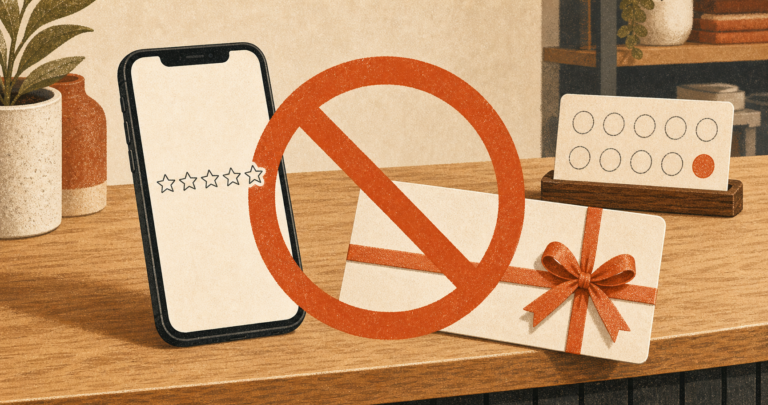
Review gating happens when a business changes the public-review path based on predicted sentiment. A compliant routine keeps the public invitation open to every customer. A private channel may sit beside it for service questions or complaints, but it never replaces, delays, or changes access to the public link.
Use this line with everyone: “We’d welcome an honest Google review. Here’s the QR. If there’s anything you’d like us to address directly, you can tell us here too.”
| Rule source | What it addresses | What your in-person routine should do |
|---|---|---|
| Google Maps user-generated content policy | Discouraging negative reviews, selecting positive reviewers, pressure on premises, and incentives. | Invite every customer neutrally. Don’t require a post, hover, repeat the ask, hold checkout, or reward a review. |
| FTC 16 CFR 465.4 | Compensation or incentives tied expressly or implicitly to a chosen sentiment. | Offer no discount, gift, contest entry, or staff reward tied to review sentiment. |
| FTC 16 CFR 465.7 | Business-controlled displays claimed to show most or all submitted reviews when ratings or negativity drive suppression; threats, intimidation, and accusations. | Don’t threaten or intimidate reviewers, make false accusations, or misstate a business-controlled display. |
| FTC 16 CFR 465.2 | Fake or materially misrepresented reviews and insider-review rules. | Staff, friends, and owners must not pose as customers. |
Google warns against pressuring people to review on the premises. A brief invitation is different from pressure. Keep it optional, don’t watch, and let the customer post later or not at all.
FTC provisions here are narrower and don’t name review gating as a broad ban.
The test is plain. Mood, praise, rating, NPS, hesitation, or a complaint must never change who receives the public review path. Private feedback is an additional route for the same customer. No incentive belongs on either path.
What should a staff review-request cheat sheet say?
Give staff one card and role-play it until the words feel normal. Practice yes, no, and later; the employee asks once, hands over the same link, ends the exchange, then switches roles.
Printable three-line staff card
- Thank them: “Thanks for choosing us.”
- Invite honestly: “We ask every customer for an honest Google review.”
- Hand off: “Scan here, or I can send the link.”
Footer: Ask everyone. Accept no. Offer no incentive. Keep private feedback alongside the public option. Managers spot-check the neutral words and hand-off, then correct any drift at the next huddle.
Managers should track whether staff offered the neutral invitation at the chosen service point. Don’t track whether a named customer posted, the rating they gave, or the tone of what they wrote. Set the service point using the best time to ask for a review for your business type, then keep the rule consistent.
Which in-person review-request mistakes make the ask feel pushy?
Most bad asks fail before the customer reaches the link. Remove these habits from staff training:
- Waiting for praise or asking only customers presumed happy.
- Requesting “five stars” or hinting at the rating you want.
- Giving a discount, gift, contest entry, or any reward for a review.
- Hovering, watching the screen, or coaching what to write.
- Asking again after a no or sending repeated follow-ups.
- Holding a receipt, checkout, hand-off, or service step until the customer posts.
- Sending dissatisfied customers to a private form instead of the public link.
- Asking staff, friends, or owners to pose as customers.
- Tracking named reviewers, sentiment, or stars instead of whether the neutral invitation was offered.
If an ask turns pushy, stop it. Give the customer the link, apologize, and don’t ask them to change or remove a post. Retrain the employee on the neutral line, then audit the service point.
Frequently Asked Questions
What’s the best way to ask a customer for a review?
Use a short thank-you at the natural end of service, invite an honest Google review, and hand over the same public link or QR code offered to every customer. Make the request optional. Then step away so the customer can decide whether, when, and what to write without being watched.
How do I ask for a review without feeling pushy or awkward?
Treat the ask as a normal service step, not a personal favor. Bohns’ research found that requesters underestimated compliance, so one calm sentence is enough. Ask every customer, avoid praise or star-rating hints, accept no at once, and give the person space instead of hovering or repeating the request.
What do I say when a customer says they’ll do it later?
Say, “Of course. I can text or email you the same link so it’s there when you have time.” Ask permission, send it once, and stop there. Don’t add urgency or route the customer to a private form based on hesitation, mood, a complaint, or a guessed rating.
How long does it take to leave a Google review?
A Google review can be brief, but don’t promise an exact number of seconds. A direct link or QR code removes search and menu steps. The customer still controls how much to write and whether to post. Hand over the link, step away, and let the person respond in private on their own schedule.
Can I offer a discount or incentive for reviews?
No. Google prohibits incentives for posting, changing, or removing a review. FTC Section 465.4 addresses compensation tied expressly or implicitly to a chosen sentiment. Skip discounts, gifts, contest entries, and staff rewards linked to reviews, then use the same neutral, unrewarded public invitation for every customer.
Make the Ask Small, Neutral, and Consistent
Learning how to ask for reviews in person gets easier once the request stops feeling personal. Thank the customer, invite an honest public review, and hand over the same direct link or QR you offer everyone. Accept hesitation without pressure. Keep private feedback open as an extra route for that same person.
For more ideas, see these policy-safe ways to get more Google reviews. Reviews Wall can standardize a branded WordPress review flow when every customer gets the public invitation and any private feedback option stays alongside it. Consistency matters. Customer choice matters more.
Sources
- BrightLocal: Local Consumer Review Survey 2026
- Google Business Profile Help: Tips to get more reviews
- Google Maps: Prohibited and restricted content
- Cornell Legal Information Institute: 16 CFR 465.4, Buying positive or negative consumer reviews
- Cornell Legal Information Institute: 16 CFR 465.7, Review suppression
- Cornell Legal Information Institute: 16 CFR 465.2, Fake or false consumer reviews
- Vanessa Bohns: (Mis)Understanding Our Influence Over Others
Share with AI
Pipe this article straight into ChatGPT.