How to Get Reviews From Repeat and Regular Customers
Get reviews from repeat customers without awkward asks. Use respectful timing, clear cadence, and honest scripts that protect loyalty and earn feedback.
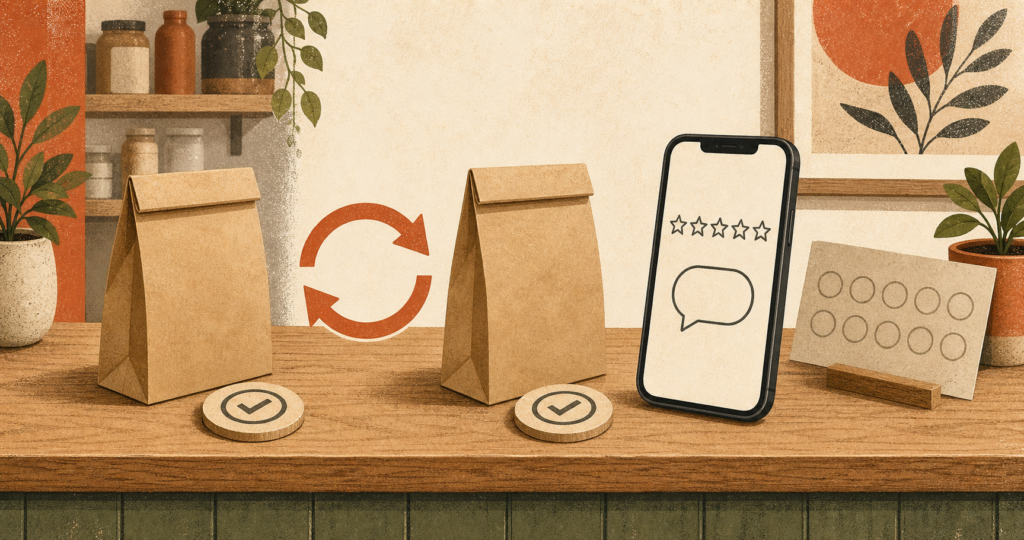
How to get reviews from repeat customers without making the relationship awkward comes down to one fair rule. Invite every regular at the same objective milestone, such as a second completed visit or fulfilled order. Send the same neutral, one-tap public link and offer private feedback to everyone beside it. Allow one optional reminder, then stop under a set contact cap.
A regular already gives you money and trust, so a clumsy ask can make that loyalty feel transactional. The system below uses clear timing, three ready-to-use scripts, and stop rules based on consent and completion. It separates loyalty rewards from review incentives and Google’s platform rules from the FTC’s narrower rules.
Why Do Repeat Customers Rarely Leave Reviews on Their Own?
Reordering is not the same as advocating
A repeat purchase shows that the customer chose you again, not what rating they would leave or whether they want to speak publicly. They may return for location, price, habit, staff, product fit, or several reasons. Calling every regular a certain five-star reviewer turns a useful relationship signal into a guess about sentiment.
The gap is often simpler. Buying takes a few taps. A review requires another decision, another page, and unplanned time. Without a timely prompt, it rarely rises to the top of the customer’s day.
Friction and follow-through are the real gap
BrightLocal’s 2026 survey of 1,002 US adults found that 78% had been asked for a review in the prior year. Among those asked, 83% said they left one. That survey shows an association, not proof that the ask caused the review.
The useful lesson is modest. Ask clearly, cut the steps, and let the customer choose. A direct link helps more than a vague request to find your profile later. That same low-friction approach supports the wider work of how Google reviews affect local SEO without turning a regular into a marketing target.
Who Should Receive the Repeat-Customer Review Ask?
Define eligibility with objective events
Write one rule staff and software can apply without judging mood. Use a second completed appointment, second fulfilled order, or membership renewal recorded in booking, point-of-sale, membership, or WooCommerce data.
Every customer who reaches that event gets the same neutral public-review invitation. Do not check a survey score first. Do not exclude someone who complained, sounded annoyed, returned an item, or received a refund.
Complaints call for service, not a different review path. Staff never decide who is “safe” to ask.
Write one milestone for each customer relationship. If staff use two booking systems, map both records to one trigger. A fixed rule keeps employees consistent and makes errors easier to spot in the send log.
Use cadence and consent, not selective routing
Operational exclusions are valid when they apply to the whole eligible group. Skip a message when the customer already completed your review flow, opted out, lacks valid consent for that channel, or reached your neutral contact cap. Log each rule so a staff member can explain why a message did or did not send.
A complaint does not belong on that list. Help the customer and keep the same public link available. Private support may start right away, but it must not replace, hide, or delay the public invitation. This sentiment-blind rule protects access for the customer and gives your team a process it can follow without guessing.
When Should You Ask a Repeat Customer for a Review?
Ask after a fresh, completed event
Ask soon after a real milestone, when the visit or order is easy to recall. Good triggers include a second appointment, delivery of a second order, or membership renewal. Never trigger from a high survey score, praise, or a staff tag such as “happy customer.”
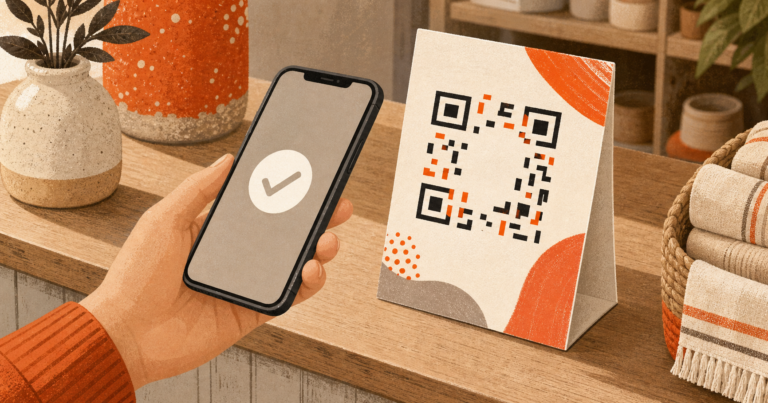
For an in-person mention, thank the regular, hand them a card or QR code, and invite them to use it later. Never stand over them, ask them to open Google, or wait for a rating. A take-away path gives them space and follows Google’s rule against pressuring an on-site review.
Match the send time to the completed event. A next-morning email can fit an evening appointment. An order message should wait for fulfilment, not payment.
For SMS, use the consent record and contact hours in your messaging program. The objective event controls timing. A compliment at checkout does not.
Send one reminder, then stop
Send one invitation after the milestone. If the person has not completed the flow or opted out, send one optional reminder three to five days later. That timing is a practitioner cadence from the brief, not a legal limit. After that reminder, stop.
A later ask needs a new objective event and a documented cooldown applied to all qualifying regulars. Never shorten, lengthen, or cancel the cadence based on expected sentiment. This restraint belongs beside other ways to get more Google reviews.
More prompts are not the goal. A fair, calm process is.
What Should You Say to a Loyal or Regular Customer?
Good scripts recognize the relationship without claiming to know the customer’s opinion. Ask for an honest review, give one public link, and make declining easy. It should feel like an invitation, not repayment for loyalty.
In-person script for a regular you know
“Thanks for coming back. If you have a minute later, we’d appreciate an honest Google review. This card has the link. No pressure.”
Say it once, hand over the card, and return to service. Never ask for five stars, say “I know you love us,” or have the customer post on the spot. Familiarity does not make a voluntary review an obligation.
Email or SMS script for a long-time customer
“Hi [First name], thank you for choosing [Business] again. Would you share an honest Google review? Your comments help other local customers know what to expect. [Public review link]
You can send private feedback here too: [Private feedback link]. Both options are open to every customer. [Email preferences or SMS opt-out text]”
Use normal consent and unsubscribe controls. Keep both links together. Never vary the message by NPS score, rating, complaint, or predicted mood. For more wording, use these review-request email and SMS templates with the same neutral eligibility rule.
Use a real sender name. Skip fake familiarity, praise assumptions, and lines staff would never say aloud.
WooCommerce repeat-order trigger
Set the trigger after the second fulfilled order or another event you can document. Match records by customer account or email so one person does not enter the flow twice. Remove recipients who opted out or completed the review flow. Apply one cooldown to the full eligible group.
The message should carry the same public link and optional private feedback link for each recipient. Neither link waits for a score. A customer who had a late shipment gets the same access as one whose order arrived early. Support can address the late delivery on its merits, with no request to change, remove, or hold back a review.
Can You Reward Loyalty Without Incentivizing the Review?
Keep the reward completely independent of review activity
Reward loyalty through purchases, visits, referrals, or membership milestones, with no review task attached. A fifth-purchase coupon is a loyalty reward. The same coupon for a Google review is a review incentive.
Keep the earning event and review invitation in separate automations. The reward notice never asks for a review, and the review message never mentions a perk. Customers see no hidden exchange, and staff have none to explain.
| Rewarding loyalty | Rewarding a review |
|---|---|
| Trigger: purchase, visit, referral, or renewal | Trigger: posting, changing, or removing a review |
| Benefit is earned with no review | Benefit depends on review activity |
| Example: points after five paid visits | Example: discount for a Google review |
| Keep separate from the review flow | Do not use for Google reviews |
Google’s review guidance bars incentives for posting, changing, or removing a Google review. That platform rule applies even when the business says any rating is welcome.
Google bars selective requests for positive reviews and discouraging negative reviews. It bars requiring or pressuring a customer to rate or review on the premises. Send the neutral invitation under the objective rule, then let the customer decide what to say and when to post.
FTC §465.4 has a narrower reach. It prohibits compensation or incentives expressly or implicitly tied to a particular positive or negative sentiment. It is not a blanket federal ban on every unconditional review incentive.
That distinction is not a loophole around Google’s rule. Keep loyalty rewards fully independent from review activity.
How Should Private Feedback Fit Into the Same Flow?
Offer it to everyone as an additional channel
Show the neutral public-review invitation and private feedback together, with equal access for every repeat customer. The private route can collect order details or a support request, but never decides who gets the public link.
Avoid rating-first forks that send high scores to Google and low scores to a private form. Never say, “Tell us first before you post.”
Those patterns sort people by sentiment and turn service recovery into a barrier.
Treat a quiet or dissatisfied regular as a retention signal
If a regular goes quiet or reports a problem, contact them to fix the problem on its merits. Keep the public invitation visible. Never make a refund, replacement, or remedy depend on changing or removing a review.
FTC §465.7 addresses threats, intimidation, and knowing or reckless public false accusations used to prevent or remove reviews. It covers material misrepresentation of an own-site review set after sentiment-based suppression too. The section does not name or broadly ban “review gating.”
A thoughtful reply may save the relationship. These steps for responding to a negative review can guide the public side. Private feedback remains an added support route for everyone, not a holding area for unhappy customers.
Keep complaint and support labels out of every review-eligibility rule.
Build a Simple Repeat-Customer Review Workflow
Write the trigger, message, reminder, and stop rules before automation. Use existing system fields. Keep the public invitation identical across triggers and private feedback beside it. Staff may handle complaints at any point, but complaints never change public-review access.
Store the trigger date, consent, completion, last-send date, and stop reason so every send is traceable without guessing mood.
| Objective trigger | Public invitation | Private feedback | Reminder rule | Stop or suppress reason |
|---|---|---|---|---|
| Second completed visit | Same neutral one-tap link | Optional link shown beside it | One reminder after 3–5 days | Reviewed, opted out, no consent, or contact cap |
| Second fulfilled WooCommerce order | Same neutral one-tap link | Optional link shown beside it | One reminder after 3–5 days | Reviewed, opted out, no consent, or contact cap |
| Membership renewal | Same neutral one-tap link | Optional link shown beside it | One reminder after 3–5 days | Reviewed, opted out, no consent, or contact cap |
Test sample records. Confirm that scores, complaints, refunds, or sentiment tags never affect eligibility, link visibility, or timing. Check de-duplication, consent, completion, and cooldown dates.
Review logs on a set schedule. Every skipped message should map to a neutral operational rule.
Frequently Asked Questions
Is it rude to ask a regular customer for a review?
No. A brief, optional request is reasonable when you recognize the continuing relationship and ask for an honest review rather than praise. Give the customer a link they can use later, make declining easy, and avoid repeated prompts. Protecting the relationship matters more than collecting one extra review.
How often should I ask the same customer for a review?
Send one invitation after an objective repeat milestone and one optional reminder three to five days later, then stop. Respect opt-outs and completed reviews. A later request needs a new objective event plus a documented cooldown. Never change the cadence based on the rating or sentiment you expect.
Can I give loyalty points or a discount for a Google review?
No. Google bars incentives for posting, changing, or removing a Google review, including points or discounts offered for any rating. Tie loyalty rewards only to purchases, visits, referrals, or membership milestones. FTC §465.4 is narrower, but that federal distinction does not override Google’s platform rule.
Should I ask only regulars who seem happy?
No. Apply the same objective repeat-customer rule and neutral public invitation to everyone. Do not filter by survey score, complaint history, rating, sentiment, or staff judgment. Google bars selective positive solicitation, and private feedback must remain an added option for everyone rather than a separate route for unhappy customers.
Can private feedback be offered alongside the public review request?
Yes. Give every customer an optional private channel and keep the public-review link just as visible and usable. Do not require private feedback first, delay the public link, or use an answer to decide who may review. The two routes have different jobs and must never form a sentiment filter.
How to Get Reviews From Repeat Customers Without Damaging the Relationship
How to get reviews from repeat customers is a process question. Choose an objective repeat milestone. Send every qualifying regular the same neutral public invitation, offer private feedback beside it, allow one reminder, and stop for consent, completion, or frequency.
Keep every loyalty reward independent from review activity. Google’s no-incentive rule differs from the narrower FTC §§465.4 and 465.7 provisions. Reviews Wall can automate this neutral WordPress and WooCommerce flow without sorting customers by satisfaction, leaving an honest invitation and the relationship intact.
Sources
Share with AI
Pipe this article straight into ChatGPT.