Review Request Email Subject Lines That Get Opened
Review request email subject lines that earn opens: learn the patterns, ideal length, and compliance pitfalls for local businesses asking every customer.
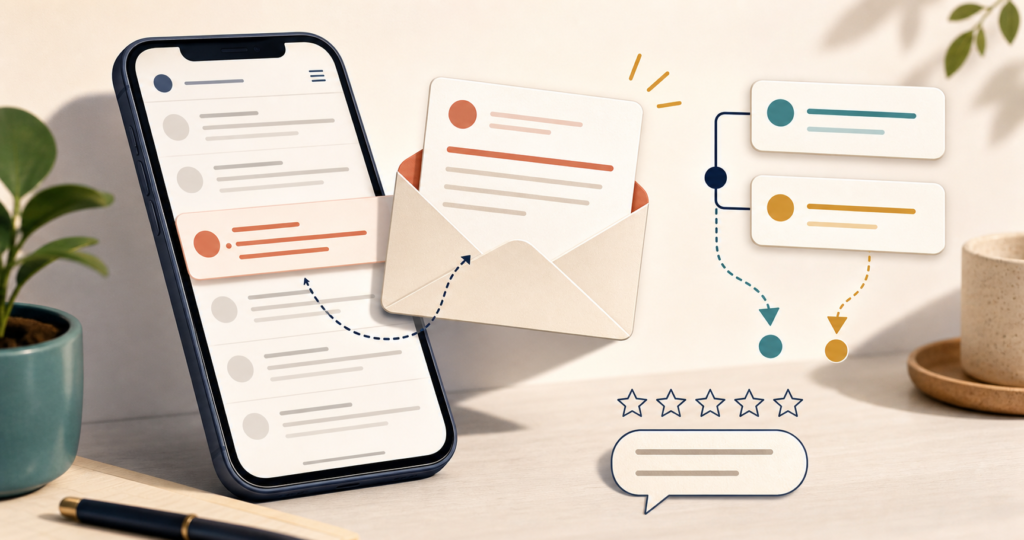
Strong review request email subject lines are short, specific, human, and truthful about the public-review invitation inside. They name a real visit, service, or order; avoid rewards and rating pressure; and make the email recognizable without pretending to be a refund, alert, or personal reply. No subject line can guarantee an open. The sound operating rule is simple: send the same neutral invitation to every eligible customer who reaches the same objective trigger, then let inbox data show which honest wording performs better.
This guide stays focused on the subject line, preview text, and measurement. For the broader request flow, read How to Ask Customers for Reviews. The examples below work for local service businesses and WooCommerce stores, with clear lines around deception, incentives, audience selection, and pressure.
Key Takeaways
The strongest review request email subject lines earn recognition before they try to earn curiosity.
- Tie the wording to a real visit, service, order, or business name. A relevant detail is more useful than generic “review request” language.
- Start around 30–50 characters, or roughly seven to nine words, then check the line in the inboxes your customers use. Treat that range as a test point, not a promise.
- Personalization must come from clean data. A correct first name or service category can prove relevance; a broken merge tag or private detail can damage trust.
- Do not use fake alerts, rewards, five-star nudges, predicted happiness, complaint history, or an on-premises demand to manufacture attention.
- Read opens as a directional signal. Apple Mail Privacy Protection can record opens that do not represent deliberate reading, so clicks and completed public reviews deserve more weight.
- Use preview text to complete the thought and name the public-review invitation. Repeating the subject wastes space that could make the message clearer.
Review Request Email Subject Lines: What Earns an Open?
Plain definition: A review-request subject line is a truthful, compact label for an email that asks the recipient to leave a public review. It earns attention by making the sender and recent interaction easy to recognize. It does not hide the ask, promise value, request a favorable rating, or change according to predicted sentiment.
Clarity before cleverness
The subject and email body need a clean message match. “How was your visit to Lakeview Dental?” prepares the reader for a review invitation. “Your account needs attention” does not fit a message that contains only a review ask. A curiosity gap has a place only when the email resolves it honestly and at once.
Clear wording helps the owner make a fair test, too. If one variant states the purpose and another pretends to carry urgent financial news, the test measures deception against truth rather than two useful subject-line choices. The winning line should be one you can keep sending without surprising the reader after the click.
Recognition and relevance
People scan an inbox for names and events they know. A business name, broad service category, visit, or order gives the recipient a reason to place the message. Use only details that the customer would expect to see. “How did your repair go?” is useful. A subject that names a sensitive procedure, private purchase, or full order contents may reveal too much on a lock screen.
Recognition starts with the sender name, not the subject alone. “Lakeview Dental” paired with “How was your visit?” is easier to place than an unfamiliar sender paired with a generic request. Keep the From name, subject, preview text, and body aligned around the same honest ask.
Human voice without fake imperfection
Plain questions sound human when they match how the business speaks: “How did we do?” or “A quick question about your order.” Forced slang, deliberate misspellings, and fake reply prefixes do the opposite. They ask the customer to overlook a tactic before reaching the review invitation.
Write the line aloud. If a staff member would say it naturally at the right moment, it is a useful candidate. If the wording sounds like a prize notice, collection warning, or staged personal message, rewrite it. Human voice comes from direct language and real interaction details, not manufactured mistakes.
Five Review Email Subject Line Patterns: Why They Work
These five patterns turn review request email subject lines into reusable decisions rather than a swipe file. Each one gives the recipient a truthful reason to recognize the message. Pick the pattern that fits the interaction, use a small number of examples, and keep the neutral public-review ask identical for everyone who reaches the same objective trigger.
1. The honest question
An honest question creates a clear, low-pressure response frame. It tells the customer that the business wants their view without implying what that view should be. This pattern fits businesses with a named location or a simple visit-based flow, where the customer can connect the question to a recent event at a glance.
- Local service: “How was your visit to Elm Dental?”
- Local service: “How did your appointment with Harbor Salon go?”
- WooCommerce: “How was your order from Pine & Parcel?”
The question should stay open and neutral. “Did you love your visit?” presumes a positive answer, and “Can you leave five stars?” asks for a rating rather than an honest review. Do not send the neutral version only to people who reported satisfaction elsewhere. The wording and the audience rule work together.
For a multi-location business, include the location name only when it helps the customer identify the visit. “How was your Harbor Salon Midtown visit?” works when that branch name appeared in booking and receipts. A new internal location code creates friction instead of recognition.
2. The specific interaction
This pattern names a broad service or order category: “How did your AC repair go?” Recognition does the work. The customer sees a real interaction instead of a vague marketing message, which can make the email easier to place. It fits appointment systems, job-completion flows, and WooCommerce orders with clean category data.
- Local service: “How did your AC repair go?”
- Local service: “How was your kitchen consultation?”
- WooCommerce: “How did your candle order arrive?”
Use the least detail needed. A broad category is safer than a diagnosis, treatment, legal matter, or revealing product name. If the data is missing, fall back to “visit,” “service,” or “order” rather than showing a raw field such as SERVICE_NAME. Do not add a reward such as “Review your repair and get $20 off” to make the detail more attractive.
The trigger matters here. Pull the category from a completed-service or delivered-order record, not an abandoned cart or open job. If status data is uncertain, use the safer generic fallback. Specificity earns trust only when the event has really happened.
3. The gratitude line
Gratitude can soften the ask without creating a debt. “Thanks for choosing Northside Plumbing—how did we do?” recognizes the customer’s choice, then asks an open question. It works well after a completed job or delivered order, especially for owner-led businesses whose normal voice is warm and direct.
- Local service: “Thanks for choosing Northside Plumbing—how did we do?”
- Local service: “Thanks for visiting Cedar Vet—how did we do?”
- WooCommerce: “Thanks for shopping Pine & Parcel—how did we do?”
Keep appreciation separate from rating pressure. “Thanks in advance for five stars” turns courtesy into a demand for positive sentiment. A row of star emojis carries the same nudge in visual form. Thank the customer for the real purchase or visit, not for a favorable review they have not chosen to write.
This line works best when thanks already appears in receipts or staff follow-ups. Keep it compact so the open question stays visible on a phone. Praise for the customer, such as “You were wonderful,” can feel staged and may imply that reciprocal praise is expected.
4. The personal-name line
A correct first name can help a message stand out and show that it relates to a real customer record. The name is not the mechanism on its own; relevance still comes from the visit or order. This pattern fits lists with dependable merge data and a tested fallback that reads naturally when the name is missing.
- Local service: “[First name], how did your salon visit go?”
- Local service: “[First name], could you share feedback on your repair?”
- WooCommerce: “[First name], how did your order go?”
Test the merge before sending. “FNAME, how did we do?” is worse than no personalization. Do not assume that a loyalty segment is the right audience. Sending the line only to known loyalists or people with high survey scores turns a neutral sentence into selective positive solicitation. Every eligible customer needs the same invitation rule.
Use the customer’s preferred name when the record supplies one, and respect characters, spacing, and punctuation. A name should make the note easier to recognize, not more intimate than the relationship warrants. For shared inboxes or household accounts, a no-name fallback may read better.
5. The honest curiosity line
“A quick question about your visit” leaves a small information gap, but it still names the real interaction. The first line of the email should resolve that gap by stating that the business is requesting a public review. This pattern fits a concise brand voice and an inbox where the From name already identifies the business.
- Local service: “A quick question about your visit”
- Local service: “One quick question about your service”
- WooCommerce: “A quick question about your order”
Curiosity stops being honest when the line invents stakes. “Urgent: your $500 refund is ready,” “Security alert,” or “You won” must never front a review request. The reader opens for financial, safety, or prize information that is not there. Honest curiosity delays one detail for a moment; deceptive curiosity changes the subject altogether.
Pair this pattern with direct preview text, such as “We’re asking for a candid public review.” That keeps the gap small and honest before the open. If the sender name is unfamiliar or the preheader is missing, choose a clearer question pattern instead.
Length, Personalization, Emojis, and Preview Text
Length advice for review request email subject lines is useful only as a starting range. The sender name, language, device, inbox layout, and the customer’s reading habits all affect what appears. A shorter line is not automatically clearer, and a longer line can work when its most useful words appear first.
Start short, then validate
Banked practitioner sources offer overlapping starting points: Sendlane gives a 30–50-character range, PowerReviews points to roughly 40 characters and seven words, and MailerLite favors fewer than 40 characters. Seven to nine words around the 30–50-character band is a sensible first test, not a universal cutoff.
Place the durable words first: business, visit, service, or order. Modifiers such as “recent” and “today” are the first candidates to trim.
Put the business or interaction detail before any expendable phrase. Mobile inboxes may shorten the visible line, and each app allocates space differently. Send proofs to real devices, check light and dark modes, and read the subject beside the sender and preview text. The visual below is illustrative; it does not state a fixed limit for Gmail, Apple Mail, or any phone.
| Character target | Illustrative mobile subject | What the reader may retain |
|---|---|---|
| About 30 | “How was your Elm Dental visit?” | Business plus visit remain clear. |
| About 40 | “How was your recent visit to Elm Dental?” | Extra timing language still fits in many views. |
| About 50 | “How did your recent visit to Elm Dental go today?” | The final words may shorten first. |
| About 60 | “How did your recent cleaning visit with Elm Dental go today?” | Service detail may crowd the question ending. |
Personalize with real details
Use a first name, business name, broad service, or order category only when the source field is dependable and appropriate for an exposed inbox. Run tests with a normal value, an empty value, a long value, punctuation, and non-Latin characters. When the name is missing, the whole personalized phrase must fall back to a natural line such as “How did your order go?” rather than leave an awkward gap.
Privacy matters more than novelty. A lock-screen subject should not reveal a medical treatment, legal service, financial issue, or sensitive item. Reduce the detail to “appointment,” “service,” or “order” when exposure could embarrass the recipient. Personalization proves that the message belongs to the reader; it should not prove how much private data the sender holds.
One emoji at most, only when it belongs to the brand
GatherUp cites Campaign Monitor data reporting a 56% higher unique open rate for brands using emoji subject lines. That finding is audience-dependent, not a promised lift. Test one relevant symbol only when customers already see that tone from the business.
Avoid emoji strings, symbols that render differently across devices, and star rows that imply a requested rating. A bakery might test a single bread icon; an attorney or medical office may find that no icon fits. Compare clicks and completed reviews, not opens alone, before keeping the variant.
Let preview text finish the thought
Preview text can name the public-review invitation when the subject uses an honest question. For “How was your Elm Dental visit?” a useful preheader is “Share a candid public review in a few steps.” It adds purpose instead of repeating the subject word for word.
Keep that line truthful. Do not bury a reward, rating request, or other material term outside the visible subject. Check for accidental fallback text such as “View this email in your browser,” and keep the first body sentence aligned in inboxes that pull body copy when no preheader is set.
Compliant vs. Risky Subject Lines
Attention does not excuse a misleading subject or a biased review flow. The audience rule matters as much as the words visible in the inbox. The table applies the five safe patterns to common failure modes. Every risky item is labeled “DO NOT USE” so readers recognize it as a warning, never copy to send.
| Pattern | Why it earns attention | Compliant local-service example | Compliant WooCommerce example | Risky variation (DO NOT USE) | Why risky |
|---|---|---|---|---|---|
| Honest question | Opens a clear, neutral response frame. | “How was your visit to Elm Dental?” | “How was your order from Pine & Parcel?” | DO NOT USE: “Your $500 refund is ready—review us.” | A fake refund materially misstates the review email. |
| Specific interaction | Connects the message to a real service or order. | “How did your AC repair go?” | “How did your candle order arrive?” | DO NOT USE: “Review & win $100.” | Google bars value offered for a review; a sentiment condition may reach §465.4. |
| Gratitude | Shows appreciation without prescribing sentiment. | “Thanks for choosing Northside Plumbing—how did we do?” | “Thanks for shopping Pine & Parcel—how did we do?” | DO NOT USE: “Thanks—leave us ⭐⭐⭐⭐⭐.” | Five stars pressure the customer toward a favorable rating. |
| Personal name | Uses accurate data to aid recognition. | “[First name], how did your salon visit go?” | “[First name], how did your order go?” | DO NOT USE: “Send only to known loyalists.” | The audience is selected for predicted positive sentiment. |
| Honest curiosity | Creates a small gap that the email resolves at once. | “A quick question about your visit.” | “A quick question about your order.” | DO NOT USE: “Leave a review before you go.” | It pressures the customer to review on the premises. |
No deceptive subject headings
For commercial email, 15 U.S.C. §7704(a)(2) bars a subject heading likely to mislead a recipient materially about the message’s contents or subject matter. A review request headed “Your $500 refund is ready” fails that basic message match when no refund exists. This provision is narrow: it does not supply a universal opt-in rule or a deliverability formula. See Cornell LII in Sources.
No reward for a Google review
Google Business Profile guidance prohibits offering an incentive in exchange for posting, changing, or removing a review. Keep “Review & win,” discounts, gifts, points, entries, and “your opinion pays” out of a Google review subject and body. A neutral thank-you is different from giving something of value for the review. See Google Business Profile Help in Sources.
Keep the FTC distinction exact
16 CFR §465.4 addresses compensation or incentives expressly or implicitly conditioned on a particular sentiment. Do not recast it as a categorical federal ban on every unconditional incentive. Google’s platform rule for Google reviews is broader. The safe subject-line choice on that platform is no promised value at all, with no positive-sentiment condition anywhere in the flow. See eCFR §465.4 in Sources.
Same neutral invitation, same objective trigger
Google Maps rules prohibit merchants from selectively soliciting positive reviews, discouraging negative reviews, and requiring or pressuring customers to rate or review a business on the premises. Eligibility may use a completed order or service, a fixed delay, consent, prior completion, and fatigue controls applied consistently. It may not use NPS, star rating, complaint history, predicted happiness, or a private response.
Every eligible customer gets the same neutral public-review invitation. A private-feedback option can sit beside it as a separate channel offered to everyone; it never controls, delays, or replaces public-review access. That operating rule applies to every subject-line pattern in this guide. See Google Maps UGC Policy in Sources.
Section 465.7 is narrower than “review gating”
16 CFR §465.7 covers specified threats, intimidation, or public false accusations used to prevent or remove reviews. It separately addresses misrepresenting that an own-site review display represents most or all submissions when reviews were suppressed according to sentiment. The section does not broadly name every selective-solicitation flow. Keep its claims separate from Google’s wider platform rules. See eCFR §465.7 in Sources.
These points are general information, not legal advice. Ask qualified counsel about message classification, consent, or a fact-specific campaign.
Spam Filters and Email Deliverability
A truthful line still needs sound sending practice. Spam filtering draws on many signals, so no fixed list of “safe words” can promise inbox placement. Treat the subject as one visible part of a sender relationship that includes list quality, complaint history, authentication, message consistency, and recipient behavior.
Run seeded inbox checks after a provider or domain change, but avoid treating one placement test as proof for the whole list.
Subject-line hygiene
Avoid all caps, repeated currency symbols, excessive punctuation, fake urgency, and misleading RE: or FWD: prefixes. Those devices can create distrust before any filter reacts. They make a review invitation look like a financial notice, personal reply, or emergency when it is none of those things.
Match the line to the body. If the subject asks about an order, the opening sentence should identify the order at an appropriate level and state the public-review request. Do not stuff several hooks into one line. One recognizable sender, one recent interaction, and one honest question are enough.
Sender recognition matters
Use a From name the customer saw during the purchase or service, plus a stable sending address on the business domain. Ask the email provider to confirm that the domain is authenticated, then monitor delivery and complaint reports. Keep the sender, subject, preheader, branding, and destination aligned so the message feels like one communication from one business.
Avoid sudden identity changes such as switching from “Elm Dental” to an unfamiliar software name. If a vendor sends on the business’s behalf, test how the From name and reply address appear. The subject should not carry the whole burden of recognition.
Consent and opt-out boundaries
Do not claim that CAN-SPAM universally requires prior opt-in, and do not label every review request transactional or exempt. Classification can turn on the message’s content and facts. Follow the consent, sender-identification, unsubscribe, platform, and jurisdiction rules that apply to the list, and get legal advice for classification questions.
Deliverability practice and legal compliance are separate tests. A lawful subject can perform poorly. A high open rate does not prove lawful targeting, honest wording, or sound consent. Keep suppression lists and opt-out handling active, and never treat a request for private feedback as permission to withhold the public link.
Test Subject Lines Without Trusting Open Rate Alone
A/B testing can show which honest line works better for a particular list. It does not create a universal winner. Record the hypothesis first: “Naming the service will produce more public-link clicks than naming only the business.” Then test wording against wording under the same operating rules.
Test one variable
Change one element at a time: wording, first-name personalization, length, or one brand-native emoji. Keep the eligible audience, objective trigger, send timing, sender, preview text, body, public-review link, and private-feedback option identical. Never split by predicted happiness, prior rating, complaint, NPS, or sentiment.
Use random assignment when available, and note any delivery incident that could distort a variant. Repeat the test before keeping a line.
Use a practical scorecard
Start with the business outcome, then work backward. Count completed public reviews when the system can connect them without making an unsupported identity claim. Track public-link clicks, click rate, and click-to-open rate. Watch unsubscribes, spam complaints, bounces, and replies that reveal confusion. Opens remain useful for directional comparison, but they sit last in the decision order.
Carry the Apple MPP caveat
MailerLite’s benchmark, captured for this brief on July 30, 2026, reports a 43.46% open rate, 2.09% click rate, and 6.81% click-to-open rate. MailerLite warns that Apple Mail Privacy Protection inflates dashboard opens. Those figures describe its dataset, not a target for one review campaign.
| Decision order | Signal | Banked figure | How to read it |
|---|---|---|---|
| 1 | Completed public reviews and public-link clicks | Click rate: 2.09% | Closest to the intended action; judge against your own baseline. |
| 2 | Click-to-open rate | 6.81% | Shows how often a recorded opener clicked, with open-data limits. |
| 3 | Open rate | 43.46% | Directional only; Apple MPP can record privacy-generated opens. |
Favor the variant that produces better downstream action without worse complaint or opt-out signals. If opens rise and clicks fall, do not call it a win. The subject may have earned curiosity that the message did not satisfy.
FAQ
What is the best subject line for a review request email?
There is no universal winner. Start with a short, truthful question tied to the real transaction, such as “How was your visit to [Business]?” Clear recognition beats a gimmick. Send the same neutral wording to every eligible customer, then compare public-link clicks and completed public reviews.
How long should a review request email subject line be?
Roughly 30–50 characters, or about seven to nine words, is a practical starting range from the banked practitioner sources. Mobile truncation varies by app, device, sender length, and settings. Put the recognizable detail first, send proofs to real inboxes, and test rather than treating the range as a rule.
Should you use emojis in a review request subject line?
One relevant emoji can be tested when it fits the brand and audience, but no lift is guaranteed. GatherUp cites Campaign Monitor data reporting a 56% higher unique open rate for brands using emoji subject lines. Avoid emoji strings and five-star nudges, then compare clicks and completed reviews beside privacy-inflated opens.
Can I offer a discount or incentive for a review?
Do not offer discounts, gifts, prize entries, points, or other value in exchange for a Google review. Separately, 16 CFR §465.4 covers incentives expressly or implicitly conditioned on a particular sentiment. The Google platform rule is broader, so keep it distinct from the narrower federal provision.
Is it OK to ask only happy customers for reviews?
No. Base eligibility on the same objective business trigger, such as a completed order or service, not predicted happiness, NPS, star rating, complaint history, or sentiment. Every eligible customer gets the same neutral public invitation. A private-feedback option is separate, offered to everyone, and never controls public access.
Choose Two Compliant Patterns to Test
Relevant, truthful, human review request email subject lines beat fake urgency, rewards, and rating pressure. Pick two patterns from this guide and test one wording difference with the same eligible audience, objective trigger, sender, body, and public link. Judge the result by completed reviews and clicks before opens.
Reviews Wall can help deliver the same neutral public-review invitation to every eligible customer and offer a separate private-feedback channel to everyone. Neither response controls access to the public invitation, so the owner can ask consistently and let each customer decide what to say.
Sources
- Cornell Legal Information Institute: 15 U.S.C. §7704
- Google Business Profile Help: Tips to get more reviews
- Google Maps User-Generated Content Policy: Prohibited and restricted content
- Electronic Code of Federal Regulations: 16 CFR §465.4
- Electronic Code of Federal Regulations: 16 CFR §465.7
- MailerLite: Email marketing benchmarks
- PowerReviews: 8 Email Subject Line Dos & Don’ts
- GatherUp: Add Emojis in Your Subject Line
Share with AI
Pipe this article straight into ChatGPT.